Convert Pro 1.5.15
Original price was: $14.99.$3.99Current price is: $3.99.

Convert Pro
A template cloud that is included with Convert Pro has a sizable collection of professionally created templates that are conversion-focused. Just install and utilise the ones you require!
Features
Mobile Editor
Convert Pro gives you the flexibility to create and personalise every aspect, enabling you to make particular tweaks and modifications that should be accessible on mobile.
Drag n Drop Customization
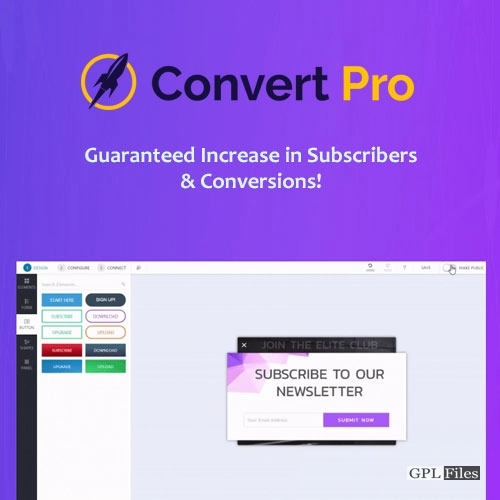
Convert Pro is a simple drag-and-drop editor that allows creating attractive modules quick and easy without writing a single line of code.
Cloud Technology
You get access to a vast library of templates in our template cloud when you subscribe to Convert Pro. Only those that you require for your website should be installed and used.
Ready-to-use Templates
Convert Pro’s expertly created pre-made templates make designing and creating easier. Choose a template, make a few adjustments, and publish it!
Good Design Converts Better
Designing and producing attractive designs is possible thanks to a sophisticated drag and drop editor. With a few clicks here and there, you can change anything. No coding experience necessary!
Drag and Drop Editor
To create a design, nothing could be simpler than a drag and drop editor! Picking an element and placing it where necessary is simple.
No Coding Complexities
Make gorgeous opt-in forms that you can totally modify. Without writing a single line of code, this is doable with Convert Pro!
High Converting Templates
Making conversion-focused opt-in forms is made simpler with ready-built templates and a drag-and-drop editor in only a few minutes!
Advanced Triggers to Display Timely Messages
The right timing is crucial. When a visitor is most likely to convert should be known to you. When you display a conversion-optimized message or form at certain times, your odds of conversion rise, providing you the possibility to grow your email list and boost your total income.
Exit Intent Trigger
show compelling copy or opt-in forms that display just as a visitor is ready to leave the website.
Well Timed Trigger
To display the relevant message at the right moment and increase website conversions, use well-timed triggers.
Welcome Trigger
When a user first lands on a website, use this trigger to show them a message via a popup or an opt-in form.
User Inactivity Trigger
Use the Inactivity trigger to display a message to inactive visitors after a predetermined amount of time.
After Scroll Trigger
When a user reaches a particular level on a page, utilise the after scroll trigger to show a message at that specific moment.
After Content Trigger
When a visitor reaches the conclusion of the page’s content or a post, use the after content/post trigger to show a message.
Advanced A/B Testing for Informed Decisions
You may test different opt-in forms using Convert Pro to compare their performance with your audience. Make your designs, evaluate them, and retain the winning one. This assists you in making decisions that will enhance conversion.
A/B Testing
As the name implies, you may develop two designs with a few minor variations and test them to discover which performs the best.
Multi Variant Testing
To preserve the design that performs the best on your website, you may construct numerous iterations of an opt-in form and test them all simultaneously.
Inter Style Testing
Want to try a modal popup and an infobar design? Numerous styles of designs are available for comparison.
Advanced Filters to Personalize Every Message
With the use of sophisticated filters in Convert Pro, you can target audiences based on the device they are using, the website they came from to get there, the page they are reading, and a number of other characteristics that can be tracked to generate the most conversions.
Page Level Targeting
Create categories for your communications, target them at the page level, and make sure the right opt-in forms are appearing on the right sites.
Referrer Detection
Create personalised opt-in forms that are relevant to the interests of visitors arriving from a certain website and have a clear message.
Device Detection
Utilize device detection to provide personalised opt-in forms to visitors who access your website using mobile devices, tabs, etc.
New vs Old Visitors
Use this feature to show various offers and messages to returning users and some alluring and introductory deals to new consumers.
Cookie Control
To prevent upsetting people who have chosen to receive the message or those who want to view it later, you can conceal a message for a certain amount of time.
Logged-in Users
Users who have previously signed into your website can choose whether to see or conceal a particular message.
Real Time Analytics to Track Conversions
Your Analytics account may be integrated with Convert Pro so that all impressions, conversions, and the resulting conversion rate are recorded in real time. In your WordPress backend, the data is also shown in the form of graphs.
Google Analytics Integration
Connect Convert Pro to your Google Analytics account to monitor impressions and conversions in real time.
Import Results to WordPress
To examine results and graphs in your WordPress backend, give Convert Pro access to your analytics data.
Facilitate A/B Testing
It is simpler to A/B test your designs when you track impressions, conversion, and conversion rate for each design.
Catering to Responsive Designs for All Users
Utilizing Convert Pro, all opt-in forms and popups are 100% responsive and display beautifully on all devices. This plugin is useful not just because of its built-in responsiveness but also because of features like device identification and mobile editing.
100% Responsive Designs
Convert Pro ensures that your opt-in forms look fantastic on any platform they are presented on and is 100% responsive.
Device Specific Popups
You may design popups or opt-in forms that are exclusive to a device and conceal them on other devices using Convert Pro’s device detection capability.
Edit in Mobile View
You may update and modify a design in mobile view in addition to the built-in responsive functionality!
Convert Pro’s Mailer Integrations
Convert Pro is compatible with all of the top email marketing service providers now in use throughout the world. You may link the two with a few simple integration steps, start gathering leads, and store and manage them with your preferred email marketing service provider.
Related products
-
Sale

WPMU DEV Hustle 7.8.8
Original price was: $14.99.$3.99Current price is: $3.99. -
Sale
Iconic Sales Booster for WooCommerce 1.24.0
Original price was: $14.99.$3.99Current price is: $3.99. -
Sale
Toolset Views 3.6.21
Original price was: $14.99.$3.99Current price is: $3.99. -
Sale
Qubely Pro 1.4.3
Original price was: $14.99.$3.99Current price is: $3.99. -
Sale
Unlimited Elements for Elementor Page Builder 1.5.151
Original price was: $14.99.$3.99Current price is: $3.99. -
Sale
Hreflang Manager WordPress Plugin 1.33
Original price was: $14.99.$3.99Current price is: $3.99. -
Sale
WooCommerce Page Builder For Elementor 1.1.6.7
Original price was: $14.99.$3.99Current price is: $3.99. -
Sale
Toolset WooCommerce Views 3.4.2
Original price was: $14.99.$3.99Current price is: $3.99.