Sale
WP Staging Pro 6.3.2
Original price was: $14.99.$3.99Current price is: $3.99.

WP Staging Pro
BACKUP & STAGING FEATURES
- Creates a subfolder called example.com/staging-site that contains a complete copy of the production site.
- Simple to use! By pressing a single button, you may create a backup or clone site.
- No need for an account and no software as a service! Your server retains all of your data. Your data is uniquely yours.
- There are no server timeouts on large websites or on weak, tiny servers.
- Very quick – Depending on the size of the website and the server’s I/O power, the migration and clone / backup operation only takes a few seconds or minutes.
- Utilize the clone as a component of your backup plan.
- The backup/clone website can only be accessed by admins.
- SEO-friendly: A custom login prompt and the meta tag no-index make the clone website inaccessible to search engines.
- When you work on the stage site, the admin bar, which is orange, appears on the backup / staging website.
- Characteristics for extensive logging
- Supports all widely used web servers, including LiteSpeed Server, Apache, Nginx, and Microsoft IIS.
- The plugin is exceptionally robust, dependable, and quick at an enterprise code quality level because every release successfully passes hundreds of unit and acceptance tests.
- A prompt and competent support staff
PRO – BACKUP & STAGING FEATURES
The following backup and cloning functions are Premium. To use those features, WP STAGING | PRO is required.
- Migration: Move WordPress to a different server or domain.
- High Performance: Compared to other plugins, backup and cloning a complete website, even one with millions of database rows, is quicker and uses fewer resources.
- With a single click, push the staging website’s media assets, plugins, and themes to the live website.
- Copy the backup location to a different database.
- Select a unique directory for the backup and copied site.
- Choose a custom subdomain, such as dev.example.com, as the destination for the backup or cloned site.
- Establish user roles for accessing the backup / clone site exclusively through authentication. It may be customers or outside developers.
- WordPress multisite migration, backup, and cloning support
- Schedule periodic multiple backups using hours, times, and intervals using backup plans.
- Download and upload backups to a different server for website relocation and transfer.
- Choose how many backups you wish to retain on your server or with your cloud provider for distant storage.
- Backup Custom Names: Select unique backup names to distinguish between various backup files quickly
- High Performance Background Processor – Runs backup extremely effectively in the background without making your website load more slowly.
- Notifications through mail If a backup cannot be produced, be informed.
- WordPress multisites’ backup
- A Google Drive backup
- Amazon S3 backup
- Backup using sFTp
- Dropbox as a backup (Released soon)
- Destination of a custom backup folder should be specified for cloud storage providers.
- Priority Support for cloning and backup, or if anything does not function for you as intended.
Related products
-
Sale

Barn2Media WooCommerce Private Store 1.8.1
Original price was: $14.99.$3.99Current price is: $3.99. -
Sale
Hreflang Manager WordPress Plugin 1.33
Original price was: $14.99.$3.99Current price is: $3.99. -
Sale
Formidable Forms - Quiz Maker 3.1.4
Original price was: $14.99.$3.99Current price is: $3.99. -
Sale
Modula Pro 2.8.21
Original price was: $14.99.$3.99Current price is: $3.99. -
Sale
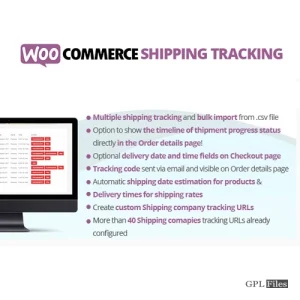
WooCommerce Shipping Tracking 42.0
Original price was: $14.99.$3.99Current price is: $3.99. -
Sale
Toolset Views 3.6.21
Original price was: $14.99.$3.99Current price is: $3.99. -
Sale
Toolset WooCommerce Views 3.4.2
Original price was: $14.99.$3.99Current price is: $3.99. -
Sale
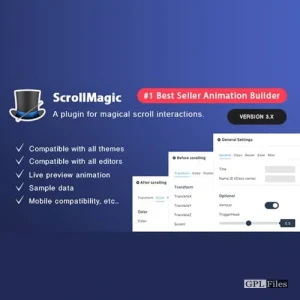
Scroll Magic WordPress - Scrolling Animation Builder Plugin 5.0.3
Original price was: $14.99.$3.99Current price is: $3.99.