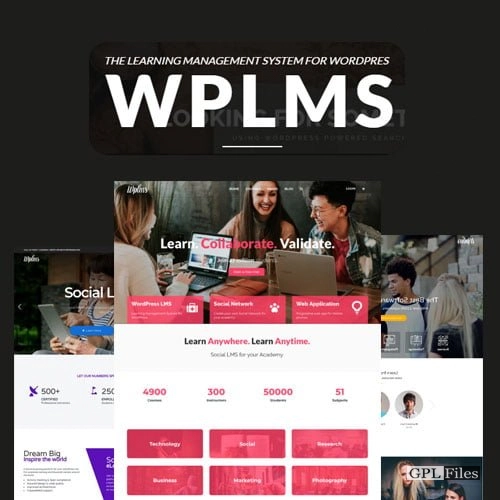
WPLMS Learning Management System for WordPress 4.971
Original price was: $14.99.$3.99Current price is: $3.99.

WPLMS Learning Management System for WordPress
Features
PWA
An evolving web application. Give people the option to download the Progressive web app.
Offline
Uses stored information (such as photos, videos*, and more) to function even while disconnected from the internet. We’re talking about 200ms load times here, which is almost instant.
Mobile, DeskTop/ Tablet App
Produce an App with a Single Click from the Theme Customization Panel. Any site’s administrators, teachers, and students may all use the same app.
Courses
Design your own lessons with WPLMS. Don’t forget to incorporate different grading choices for different sections, modules, quizzes, and assignments.
Live Chat
Live conversation with other users of the site.
Real Time Notifications
Update visitors immediately on any changes to the site. Things like adding a student to a class and having the teacher distribute notifications are examples.
Push Notifications
Offline push notifications (Safari iOS not supported as of now)
Course Layouts
Course Layouts may be made with Elementor/Divi*. Various course categories, or even a custom design for a single course, might have their own unique layout.
Activity
Students’ daily activities are monitored. organised in sections for each course, exam, and assignment.
Reporting
Make your own reports, send them through email at predetermined times, and more. There are already established formats for course reports and quizzes.
Certificates
Make your own certificates and hand them out. Including Validation of Individual Students and Teachers via a One-of-a-Kind Code System.
Quizzes
Make Tests in WPLMS. In general, there are two categories of quizzes: Static question pool, and questions drawn at random to form a dynamic question pool. Allows for three distinct quiz evaluation methods (human, computer, and retake).
Assignments
Build your own WPLMS-based tasks. Assignments are similar to homework in that they include a problem statement and a subjective grade. User-submitted work is accepted. Marked and corrected uploads from your instructor.
Badges
When a student finishes a course, they should be rewarded with a badge. Put a picture and a name on a badge.
Units
Make your own WPLMS Units! A unit may include any combination of video, audio, documents, PDF, text, and images.
Sections
Make New WPLMS Sections. Units, quizzes, and homework all fit under the umbrella of a “section.”
Font End Course Creation
The intuitive, drag-and-drop Course builder for teachers. All the options are in one location and it’s really user-friendly.
Notes from the Instructor
The Units Notes Submodule. Keep Notes allows students to do just that. In addition to the course material, teachers can also provide supplemental notes.
Discussions
Open class discussions about the Units being used.
Ask Instructor
Questions from students can be directed to the teacher using these communications.
Bulk add Students
Sign up a large number of students for a set of classes all at once.
Questions
Make a few Questions in WPLMS. Quantity of questions: 8. Test Your Knowledge: Match and Sort Use the Select Menu, To Complete the Sentence, Options for a single right answer, for a series of right answers, Writings of the Essay and Text Variety.
Repository of Questions
A quiz’s questions can be plucked at random from a pool of possible choices.
A Few Questions About Purchasing In Mass
Add several inquiries at once. Bulk import questions and questions from a CSV file.
Querying the Code
Code questions for personal assessment.
Courses for Sale
Use WooCommerce or EDD to sell your courses. Each and every one of the gateways that WooCommerce recognises as valid is supported. Cash on Delivery and Bank Transfer are also acceptable payment options.
MemberShips
Earn money with Membership-Only Courses. It is necessary to have the Pmpro, Restrict Content Pro, and WooCommerce Memberships plugins installed. In addition to ARMember and WishlistMember, there is also a wider range of membership types.
Observational Test
Give the kids some practise quizzes to take.
Combined lessons
Deal in Course Bundles. Using WooCommerce or EDD, you can create course bundles and sell them all at once.
Registration for Classes
Learners may choose a payment plan that suits their needs, whether it be weekly, monthly, or annually.
Categories
Classify the lessons. Display Course Groupings and Sort Results
Classed as Expired
Limit the time students have to complete their courses.
Certificates
To Award Certificates to Specific Courses or Individual Users
Create Courses by Hand
Manually enrol students in courses.
A notification or email will be sent.
Registration for a Course Handbook
You may manually manage your course subscription time in the course administration area. E-mails and other alerts are sent out.
Notices Regarding Classes
Please notify me of the course’s announcement. prominently included on the student profile. There will be 1 course announcement. Consists both email and notification alerts.
Recent Developments in the Course
a blog just for the course. The class will be alerted through email, push, or in-app message when the teacher posts news.
Messages
Confidential student-to-teacher and student-to-student texting.
Notifications
For internal use only: a notification system. A user notification panel is shown.
Friends
Users may invite their friends to join, and those friends can then see the user’s activity feed.
Followers
Followers are alerted whenever the following person performs a new activity or logs in.
Groups
Set up any kinds of groups you need, from student groups to teacher groups.
Mass Emails for Classes
Communicate with all of the enrolled students in a course at once. Depending on the situation and length of time left in the course, it might be all students or only certain pupils.
Participation in a Course Activity
Don’t lose track of anything that goes on in the class. The work done by students within the classroom.
Evaluations Done By Hand
Courses, quizzes, and assignments may all be evaluated by hand, and comments can be left for the teacher.
Emails
You may modify the format and content of your newsletters directly in WordPress.
Custom Registration Forms
Make as many forms as you need, with as many options as you like. In-profile signup sheets for various member positions and kinds, user responsibilities, and information filling.
Notes
Make and update site-wide notes. In the course pursue screen, students have the option to make notes.
Plan Via Email
When a user hasn’t signed in for a while, when new information becomes available in a drip course, or when a course expires, send them an email to remind them.
Related products
-
Sale

Hreflang Manager WordPress Plugin 1.33
Original price was: $14.99.$3.99Current price is: $3.99. -
Sale
WooCommerce Abandoned Cart Recovery 1.1.4
Original price was: $14.99.$3.99Current price is: $3.99. -
Sale
Iconic Sales Booster for WooCommerce 1.24.0
Original price was: $14.99.$3.99Current price is: $3.99. -
Sale
Modula Pro 2.8.21
Original price was: $14.99.$3.99Current price is: $3.99. -
Sale
WPMU DEV Hustle 7.8.8
Original price was: $14.99.$3.99Current price is: $3.99. -
Sale
Apex Notification Bar - Responsive Notification Bar Plugin for WordPress 2.1.8
Original price was: $14.99.$3.99Current price is: $3.99. -
Sale
Unlimited Elements for Elementor Page Builder 1.5.151
Original price was: $14.99.$3.99Current price is: $3.99. -
Sale
Formidable Forms - Quiz Maker 3.1.4
Original price was: $14.99.$3.99Current price is: $3.99.