Classiads – Classified Ads WordPress Theme 6.1.9
Original price was: $14.99.$3.99Current price is: $3.99.

Classiads – Classified Ads WordPress Theme
This theme was painstakingly designed by hand with a significant emphasis placed on typography, usability, and the overall user experience. It may be set up in a very short amount of time and is simple to modify. You’ll adore it.
PLUGINS: Three plugins will be necessary, and others are suggested; nevertheless, the choice of whether or not you wish to have them is up to you. Your theme will still function correctly even without them. Because there is no requirement for a paid plugin, we will include all of the most recent plugin updates together with the theme updates. Due to the fact that these plugins were developed by a third party, this does not imply that we will be providing a licence for them.
Features
- Any kind of website may benefit from using a sleek and contemporary design.
- Comprehensively Receptive
- Specification fields
- Constructed with HTML5 and CSS3
- Infinite Variety of Colors
- Visual composer integration
- Integration of WooCommerce for 3X
- Separate Mobile Menu
- Header That Is Completely Personalizable
- Option for Social Networks in the Header and Header Toolbar
- Header/Header Login/Register Option
- Option for the Header/Header Button on the Toolbar Header
- Option for Including Contact Information in Headers and Toolbars
- Option for a Custom Menu in the Header and Header Toolbar
- Option for Placing Your Logo in the Header or Header Toolbar
- wpml option for the Header and Header Toolbar option
- Optional Header Search Within the Form
- Option for the Header and Header Toolbar in the WooCommerce Cart
- Switching the Header Toolbar On and Off
- Take control of the header as well as the page backgrounds.
- Mange Single Blog Page Layout
- Take Charge of the woocommerce Layout
- Take care of Your Face and Your Handwriting
- Manage Page Speed
- Multiple requests for participation
- Layout for an Unlimited Number of Footers
- On/Off switch for the top footer section
- On/Off switch for the primary footer section
- On/Off switch for the sub-footer section
- 4 Variations on the Footer Subscription Form
- Option for a Footer Social Network in Footer
- Option for a Logo in the Sub-footer or Top-footer
- 4 variations on the back button to the top
- Skins for the footer that may be customised
- 100+ Visual Composer Elements
- Take Care Of The Page Titles For Every Page
- Display a Unique Side Bar on Each and Every Page
- Build an infinite number of dynamic sidebar spaces.
- Fonts from Google
- Automatically Minimize All Dynamic Styles
- 7 different menus for navigation
- Type of Client-Specific Custom Post
- Personalized Post Format for Testimonials
- Customized Post Format for Employees
- Custom Post Type for Listings Listings
- A Collection of Icons
- System with Multiple Directories
- Listings that have their own specialised category taxonomy
- More than ten different types of category styles
- Styling and typography of categories that are extremely modifiable
- Option to move between categories
- Taxonomy Tailored Specifically for Locations
- Uncountable numbers of location levels
- Configure the Address structure using the drag and drop method.
- A distinct Address is required for single listings as well as grid and list views.
- Unrestricted Formatting Capabilities for Archive Pages
- Archive Pages Side Layout
- Listings on Archive Pages Should Be Managed.
- Adjust the archive pages to use the default listing view.
- You can add or remove the map on the archive pages.
- Regarding the widget.
- Personalized Menu widget
- The social media widget
- Widget for recent posts
- A popular type of widget
- Flickr widget
- Video widget
- Image widget
- Widget for the author
- Offers widget
- Labeled widget categories
- Widget for locations.
- A widget for searching
- Widget for managing subscriptions
- The social media widget
- Map widget
- Search Relevancy and Compatibility
- Ajax Search Listing Filter
- Search By Category
- You may search using either the Location or Address box.
- Search Using Your Current GeoLocation
- Look It Up Via Radius
- Look It Up Via Cost
- Price Search Field with a Minimum and Maximum Limit Option
- Price Lookup Field with an Option for an Exact Value
- Option for Changing the Price Search Field Range Slider
- You can search using any of the custom content fields.
- Optional Form for Searching Based on a Directory
- Optional Search Form That Is Based on Pricing Plans
- Optional Form for Conducting a Search Based on Location
- Optional Form for Conducting a Search Based on Categories
- Suggestions for Key Words, Complete with a Key Word Field
- Option for the Default KeyWord
- Option for the Default Address
- Default Radius Option
- Nested Levels Up To 3 Available In The Search Form Location Field
- The nested level of the search form category field can go up to three.
- Connect the Search Form to any Other Shortcodes, Such as the Map or the Listings
- Make Search Forms Look Exactly How You Want Them To
- Choose the Personalized Fields for Every Search Form
- Section for More Advanced Searches
- Choose Which of Your Own Personal Fields to Display in the Advanced Search Menu
- Take Care Of The Typography On The Search Form
- Option to list as “Pending review” available on submissions
- There is an option to modify listings that says “Pending for review.”
- Claim Listing
- Option for Approval of a Claim
- After the Approval of Your Claim, You Will Have the Option To Change Your Status.
- Bidding system
- Online/Offline Status
- csv Import/Export
- Icons for the SVG categories
- Icons for the image categories
- Icons for the Font Category
- Inclusion of Badges
- a verification method for authors
- posting at the front of the line
- back-end advertisements posting
- The user menu may be found in the header.
- Invoices system
- Notification sent via email
- System based on payment per post
- The history of the bills
- Custom Banner
- +20 Pre-Made Layouts
- RTL Supported
- Integration with MailChimp
- Google maps styles option
- ReduxFramework
- Bootstrap 3
- Support for the Child-Related Theme
- bbPress (Forum) (Forum)
- Sliders are compatible with touches and swipes.
- Form of Contact that Works
- Support for several browsers
- The integration of Twitter
- A persistent emphasis on typography, usability, and the user experience as a whole
- 650+ Google fonts
- Social media icons
- SEO optimised
- Assistance with Translation
- Advanced Theme Options Panel Without a Brand Name
- Latest version of WordPress that is compatible
- Facebook Login
- Log in to Twitter
- 6 Additional Login Options for Social Media
- Google Plus Login
- Report Abuse Feature
- Function for Sharing Listings
- Print Listing Functionality
- Downloadable PDF Functionality
- Add To Favorite Feature
- Evaluations and Evaluations
- Form of Contact for the Author of the Email
- Feature That Allows Users To Send Instant Messages To The Author
- Separate Page for the Author
- Directions on the Map
- Integration of the Twilio SMS Service.
- The Integration of Google Maps
- custom map markers
- Login, Registration, and Contact Form Creator with Form Builder
- Front-end User Panel
- User Panel Customizability
- Set the visibility settings for any listing directly from the user panel.
- Optional Note to the Administrator for Each Listing
- Report on the Current Status of Listing Views
- Access to the back end must be restricted for users.
- Demand the selection of terms and conditions.
- personalised landing page for accessing the dashboard
- personalised sign-in page for the submission of listings
- Listing tags should be toggled on and off.
- Hide admin bar for user
- Mange user provide from front-end
- 4 distinct types of pricing plans
- Plans of Purchase That Are Capable Of Being Extremely Modified
- Show/Hide Any Available Option on the Pricing Plan
- Adjust the formatting and typography for the pricing plans.
- Option to Raise Up or Bump Up Your Listing
- Upgrade Listing Option
- Choice to upgrade listing level upon listing’s expiration
- Choice to draught listing at expiration of the option
- Listing that is permanent regardless of the pricing plan
- Featured Listing according to the chosen payment plan
- Display on Map According to the Pricing Plan
- Choice to Market Individual Listings or Product Bundles
- Make your own pricing plans with no limits.
- The amount of photos that can be included in each pricing plan
- The Number of Videos That Can Be Purchased With Each Price Tier
- The number of locations that may be used with each pricing plan
- The number of categories that can be included in each pricing plan
- Integration of WooCommerce with Payment Gateways for Listings
- Integration of WooCommerce Add-ons for Subscriptions
- Integration of WooCommerce into Shops
- Custom Content Fields
- SelectBox is a kind of content field used in
- Checkbox is a kind of content field
- The Type of Radio Content Field
- TextArea is a content field type for the field.
- Type of Content for Text String Fields
- The Type of Website Content Field
- Digital Value Content Field Type
- The Type of Email Content Field
- Content Field Type for Date and Time
- Content Field Type for Times of Opening and Closing
- Type of Content for File Upload Fields
- Type of Content for the Price Field
- On Grid View, the option to conceal, show only the field label, show only the icon, or show both of these elements.
- Displaying the Field Option in the Map’s Info Window
- Choice to display Content Field for a number of different categories
- Choose which locations have the option to display the Content Field.
- Option to display Content Field when viewing in grid or list format
- Display of Content Field as a Selectable Option on Single Listing Pages
- Displaying the Content Field as an Option on the Search Form
- Make a Group for Unlimited Content Fields to Create
- Choice to conceal group membership from anonymous users
- 2 Grouping Strategies
- Order group by drag and drop
- Order Content Fields By drag and drop
- Display Listings in Accordance With Directories
- Display Listings According to the Category
- Display Listings Determined By Location
- Display Listings According To The Pricing Plans
- Display Listings According To User-Defined Fields
- +16 Grid View Styles
- +3 List View Styles
- Choose a distinct Listing Style for each of the Listing Shortcodes.
- Display A Number Of Different Listing Shortcodes On The Same Page
- Choose either the Grid View or the List View as the Default Listing Style.
- 3 different kinds of listing sorts
- Choice to Display or Hide the Sorting
- Switcher with an Option to Show or Hide View
- Choose to Display or Hide the Pagination
- Choice to Display or Load Additional Content Button
- Alternative Masonry Layouts
- Optional Responsive Grid with Two Columns
- Choose to Display All Listings on One Page as an Option
- Choose to Only Display Featured and Sticky Listings as an Available Option
- Choice to Load Listing Following Initialization of Page
- Choice to Determine How Many Items Are Displayed On Each Page
- Choice to Load Additional Listings as You Scroll Available
- Choice to Order Results According to Date, Title, or Any Other Content Field
- Choose to Organize Your Order in Either the Clockwise or Counterclockwise Direction
- Choices to Hide or Display the Number of Listings
- Up to six more listing columns available in grid view
- Option for a Customizable Thumbnail Size
- Choice to Activate Carousel for Any Remaining Sections
- Take care of the formatting, colouring, and typography of the listings.
- Plant User-Defined Content Fields Within the Grid View
- 2 Single Listing Page Styles
- Listings of Similar Items on a Single Listing Page
- Complete Slider Manager For Single Listing Page
- Show Map In Tabs On Single Listing Page
- Display the Map Outside of the Tabs on the Individual Listing Page
- Videos should be shown in tabs on the single listing page.
- Display Videos Outside of Tabs on Individual Listing Pages
- Display Ratings and Reviews as Tabs on Individual Listing Pages
- Display Customer Reviews Outside of Tabs on Individual Listing Pages
- Display Groups of Fields as Tabs on the Single Listing Page
- Display Field Groups Independently of Tabs on Individual Listing Pages
- Display Any User-Defined Field on the Listing Detail Page
- Well commented code.
- plus a whole deal more.
Related products
-
Sale

WPMU DEV Hustle 7.8.8
Original price was: $14.99.$3.99Current price is: $3.99. -
Sale
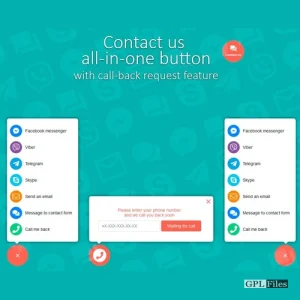
Contact us all-in-one button with callback request feature for WordPress 2.2.4
Original price was: $14.99.$3.99Current price is: $3.99. -
Sale
Toolset Views 3.6.21
Original price was: $14.99.$3.99Current price is: $3.99. -
Sale
Toolset Framework Installer 3.1.18
Original price was: $14.99.$3.99Current price is: $3.99. -
Sale
MemberPress WordPress Plugin 1.12.10
Original price was: $14.99.$3.99Current price is: $3.99. -
Sale
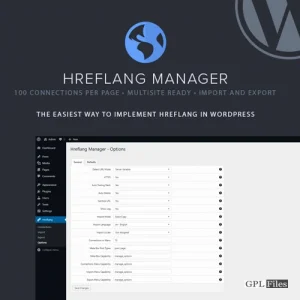
Hreflang Manager WordPress Plugin 1.33
Original price was: $14.99.$3.99Current price is: $3.99. -
Sale
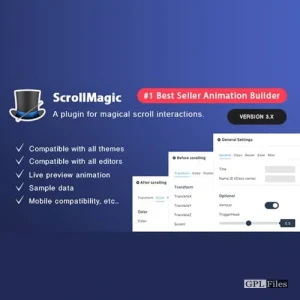
Scroll Magic WordPress - Scrolling Animation Builder Plugin 5.0.3
Original price was: $14.99.$3.99Current price is: $3.99. -
Sale
Formidable Forms - Quiz Maker 3.1.4
Original price was: $14.99.$3.99Current price is: $3.99.