
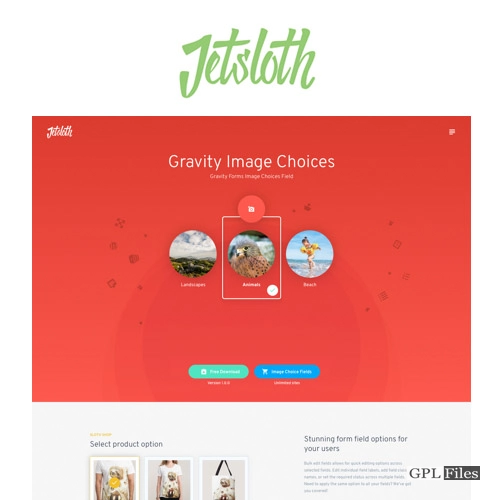
Jetsloth – Gravity Forms Image Choices 1.4.23
Original price was: $14.99.$3.99Current price is: $3.99.

Jetsloth – Gravity Forms Image Choices
Within Gravity Forms, you can quickly and easily upload photos to serve as options for Radio Buttons or Checkboxes fields. Support is included for the Survey, the Quiz, the Product, and the Options.
Add images to your checkbox or radio fields
Inserting an image inside the label of a radio button or checkbox serves the same purpose as writing a thousand words.
Enabling photos in the field, browsing through the media library, and inserting your choice is all very easy to do using Gravity Forms’ Image Choices feature.
No more HTML in your Gravity Forms labels
Up until now, the addition of HTML code into the labels of radio buttons and checkbox choices was the only method to truly incorporate pictures into the respective options. This procedure is not as good as it might be: identify the picture you want to use, copy its whole URL, modify the form field, add your image element markup, and then paste the copied value into the src field.
When you use Gravity Forms Image Choices, the user interface is quite similar to that of WordPress, and you may browse the media library to pick and insert an image. Additionally, it is maintained distinct from the content on your label.
Image Lightbox options
You asked for it, and we delivered. In order to provide users with a more pleasant viewing experience, we have now incorporated the possibility for users to lightbox their picture selections. Simply clicking the zoom symbol will bring up the image in a lightbox for you to examine.
Polls, surveys & quiz fields
Gravity Gives Rise To When set to Radio Buttons or Checkboxes, the Image Choices field is compatible with the Poll field, the Survey field, and the Quiz field. Facilitate the presentation of alternatives, such as voting on pictures or artwork.
Related products
-
Sale

Unlimited Elements for Elementor Page Builder 1.5.151
Original price was: $14.99.$3.99Current price is: $3.99. -
Sale
Formidable Forms - Quiz Maker 3.1.4
Original price was: $14.99.$3.99Current price is: $3.99. -
Sale

Contact us all-in-one button with callback request feature for WordPress 2.2.4
Original price was: $14.99.$3.99Current price is: $3.99. -
Sale
JetWooBuilder For Elementor 2.2.3
Original price was: $14.99.$3.99Current price is: $3.99. -
Sale

WPMU DEV Hustle 7.8.8
Original price was: $14.99.$3.99Current price is: $3.99. -
Sale

MemberPress WordPress Plugin 1.12.10
Original price was: $14.99.$3.99Current price is: $3.99. -
Sale

Scroll Magic WordPress - Scrolling Animation Builder Plugin 5.0.3
Original price was: $14.99.$3.99Current price is: $3.99. -
Sale

Slick Menu - Responsive WordPress Vertical Menu 1.5.6
Original price was: $14.99.$3.99Current price is: $3.99.