
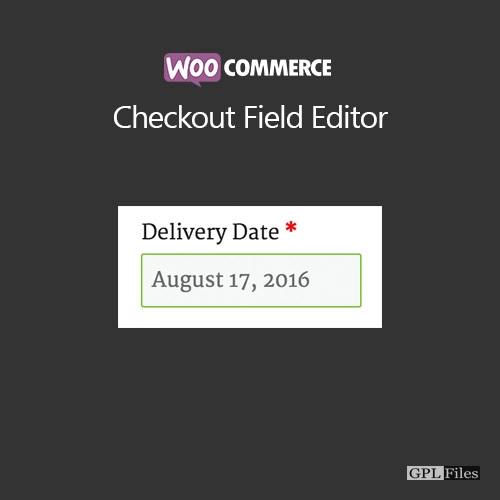
WooCommerce Checkout Field Editor 1.7.24
Original price was: $14.99.$3.99Current price is: $3.99.

WooCommerce Checkout Field Editor
The WooCommerce Checkout Field Editor (Checkout Manager) Plugin combines a straightforward and user-friendly interface with the ability to add 20 different types of custom checkout fields to your checkout page.
You may alter, conceal, or delete the default fields, change labels, reorder checkout fields, verify checkout fields, apply custom css classes, and add new custom fields to the three parts (Billing, Shipping, and Additional) of your WooCommerce platform.
FEATURES
CUSTOM CHECKOUT FIELD
The Checkout Manager plugin lets you add more fields to your checkout page. To gather extra data from the user, you may add 20 different sorts of checkout fields to your WooCommerce checkout page. It supports a variety of field kinds, including:
EDIT FIELD
Edit the custom fields, including the default ones, in accordance with the various business needs.
DELETE FIELD
If necessary, remove the standard WooCommerce checkout fields.
ENABLE/DISABLE FIELD
Your custom checkout fields may be enabled or disabled using a simple checkbox option.
REPOSITIONING CHECKOUT FIELD
Display your Checkout fields in various places using simple drag and drop methods.
ADD CUSTOM CSS CLASS
If you want to increase consumer engagement, customise your checkout form with a few easy steps.
DISPLAY IN EMAILS AND ORDER DETAILS PAGES
Using the checkbox option, you can display or conceal the custom checkout fields on the Order Details Page or in your emails.
VALIDATE THE CHECKOUT FIELDS
Verify all of the custom checkout fields, including the default ones, to ensure that you never miss any crucial user data.
OVERRIDE ADDRESS FIELDS
WooCommerce by default modifies the address format according to the country. By utilising this plugin, you may use the values set using the Checkout Manager plugin instead of having the address field attributes overridden.
RESET TO DEFAULT FIELDS
With the help of this plugin, you may instantly return to the initial state with the default fields.
TRANSLATE READY TO OTHER LANGUAGE
As it is compatible with WPML, Polylang, and Loco Translate translation plugins, the Checkout Field Editor plugin enables you to translate content into more languages. You may use the WPML or Polylang plugins to translate dynamic strings.
OTHER POPULAR PLUGINS FROM THEMEHIGH
WooCommerce Product Page Extensions: This plugin’s Custom Product extensions feature makes it simple to easily add more sections and fields (19 custom field types) to your WooCommerce Product page.
WooCommerce’s Multi-Step Checkout Options: By improving the shopping experience for your consumers, the Multi-Step Checkout plugin enables you to divide the standard WooCommerce checkout procedure into smaller, easier phases.
Use this free variant swatches plugin to start turning the standard WooCommerce product attribute drop-downs into fashionable swatches (colour, picture, radio, and label).
Email Customizer for WooCommerce: Email Customizer is an easy-to-use template builder that enables you to add customised text, images, dividers, and other components to your WooCommerce transactional emails.
Join Themehigh Community to connect with others who can assist.
UPGRADE TO PREMIUM VERSION NOW
You may customise your checkout form by adding 24 different types of custom checkout fields and sections to your checkout page with the WooCommerce Checkout Field Editor (Checkout Manager) plugin’s premium edition.
It offers a variety of sophisticated features, such as 24 unique checkout field types, conditional field and section display, custom validations, integration with third-party plugins, developer friendliness with custom hooks, ability to change address display format, price fields with a variety of price types, etc.
FAQs
Q: Does plugin collects any personal data?
A: No, plugin does not collect any data in WordPress.
Q: Which Languages are supported?
A: English, Italian, Chinese, Spanish, French, Arabic, Russian, Portuguese, German. If your required language is not here then no worries, Plugin is completely compatible with WPML & Loco Translate.
Related products
-
Sale

Apex Notification Bar - Responsive Notification Bar Plugin for WordPress 2.1.8
Original price was: $14.99.$3.99Current price is: $3.99. -
Sale

JetWooBuilder For Elementor 2.2.3
Original price was: $14.99.$3.99Current price is: $3.99. -
Sale

FS Poster GPL - WordPress auto poster & scheduler 7.4.1
Original price was: $14.99.$3.99Current price is: $3.99. -
Sale

Formidable Forms - Quiz Maker 3.1.4
Original price was: $14.99.$3.99Current price is: $3.99. -
Sale

Unlimited Elements for Elementor Page Builder 1.5.151
Original price was: $14.99.$3.99Current price is: $3.99. -
Sale
Toolset Views 3.6.21
Original price was: $14.99.$3.99Current price is: $3.99. -
Sale

WP Content Crawler - Get content from almost any site, automatically! 1.12.0
Original price was: $14.99.$3.99Current price is: $3.99. -
Sale
Barn2Media WooCommerce Private Store 1.8.1
Original price was: $14.99.$3.99Current price is: $3.99.