

Woolementor Pro 2.7.0
Original price was: $14.99.$3.99Current price is: $3.99.

Woolementor Pro
Woolementor Pro empowers you to construct WooCommerce stores with the expertise of a seasoned developer. You may make websites that are more effective and interesting while expending less effort if you use Elementor, which is the most popular page builder plugin in the world. In just a few minutes, you, too, can get your brand-new website up and running and start bringing in revenue!
Have you ever considered including additional fields that are pertinent to the purchase on the WooCommerce checkout page? Using “Woolementor Pro!” is an easy way to accomplish this task now. On your checkout page, you will have the ability to generate and add the required fields without having to use any coding.
Are you sick and tired of looking at the same old WooCommerce cart page? Because Woolementor also enables you to personalise every aspect of your shopping cart page, you won’t have to worry about being idle for very long. You have the option of displaying all of the items in your cart either in a single column or split across many rows.
Features
300+ Designer Made Templates.
Select a template that has been expertly created to meet every industry’s needs. Fully adaptable and always responsive.
Drag & Drop Editor.
Develop each component of your website visually. With no need to write a single line of code, just drag and drop and modify.
100+ Widgets
You can choose from dozens of widgets to assist you in creating any component of your page, from intricate graphics to e-commerce features.
Responsive Editing
Your website should be adjusted to look beautiful on every screen and should be built to support up to 7 devices.
Live Editing
View your website as it is being built and watch your designs come to life.
Elementor & WordPress
With unlimited customization choices and a widget for any necessity, you can cover all your bases.
Site Settings
You can easily control your website’s branding, lightbox settings, layout, and theme styles from one central location.
Global Editing
Design the header, footer, and content of your complete website in one location. Create universal fonts, colours, and widgets to use across your entire website.
User Preferences
Control your website’s Name, Description, Logo, and Favicon by using Elementor’s Global Settings. Set the mobile wallpaper and the website backdrop as well.
Mark Widgets as Favorites
By adding your often used widgets to the “Favorites” section, you may customise the Editor’s Panel and speed up your productivity.
Dark Mode
Design with Elementor’s Dark Mode option to create darker spaces while conserving energy. It’s also good for the environment.
Navigator
Access custom modifications with ease using indications, rapidly visualise all page elements or layers, and navigate between them.
Finder
Access all page elements or layers with ease via indications, instantly see custom modifications, and navigate between them.
Notes
Leave contextual Notes for your team or clients within the Editor to facilitate collaborative work.
Benifits
Motion Effects
Use Scrolling and Mouse Effects to incorporate interactions and animations into your website.
Scrolling Effects
Make sure your message follows users as they scroll by setting a sticky header, footer, or other part.
Hover Animations
Create stunning hover animations to give your website a new level of interactivity.
Entrance Animations
Make your widgets interactive by adding hover and entry animations.
CSS Transform
Any element on your page can be rotated, scaled, skewered, offset, and flipped without writing a single line of code.
Parallax
Make incredible interactions and animations for the user to experience as they browse the page.
Mouse Effects
Make items move in response to mouse movement to give your website dimension.
3D Tilt Effect
Make each element slightly float and glide when the user drags the pointer over it.
Exit Animation
Choose the popup’s exit animation from the dropdown options, which include fade and zoom.
Page Transitions
Change the Canvas’s colour during page transitions and add an icon, logo, or animation from the Elementor library.
Scroll Snap
By clicking on any area of the page, you may control how visitors interact with your website as they scroll down the page.
Ecommerce Features
Ecommerce
Create every component of your e-commerce website, and engage visitors using pop-ups, landing pages, and other methods.
WooCommerce Builder
Create the best possible shopping experience by designing your WooCommerce website and customising everything.
Marketing Features
Form Builder
Forms should be attractive to attract visitors’ attention. Using Elementor, you may gather, manage, and save your data.
Landing Pages
Convert visitors into engaged users by creating high-converting landing pages from within your existing WordPress website.
Popup Builder
With sophisticated targeting capabilities, create popups that are pixel-perfect and very effective.
Dynamic Content
Create many pages using a single layout, use them throughout your website, or display people their own content based on their preferences.
You create expert websites, and Elementor handles the rest.
Related products
-
Sale
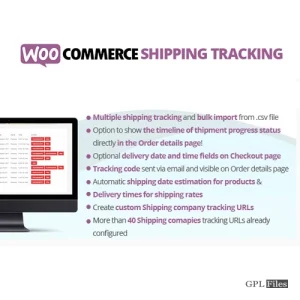
WooCommerce Shipping Tracking 42.0
Original price was: $14.99.$3.99Current price is: $3.99. -
Sale

Modula Pro 2.8.21
Original price was: $14.99.$3.99Current price is: $3.99. -
Sale

WooCommerce Abandoned Cart Recovery 1.1.4
Original price was: $14.99.$3.99Current price is: $3.99. -
Sale
Toolset Framework Installer 3.1.18
Original price was: $14.99.$3.99Current price is: $3.99. -
Sale
Element Pack - Addon for Elementor 6.4.0
Original price was: $14.99.$3.99Current price is: $3.99. -
Sale

FS Poster GPL - WordPress auto poster & scheduler 7.4.1
Original price was: $14.99.$3.99Current price is: $3.99. -
Sale

FAT Event 5
Original price was: $14.99.$3.99Current price is: $3.99. -
Sale

Scroll Magic WordPress - Scrolling Animation Builder Plugin 5.0.3
Original price was: $14.99.$3.99Current price is: $3.99.