
Sale

WP Sheet Editor EDD Downloads Pro Addon 1.0.73
Original price was: $14.99.$3.99Current price is: $3.99.

WP Sheet Editor EDD Downloads Pro Overview
- A spreadsheet designed specifically for EDD products.
- It is extremely tough to create a large number of EDD items.
- You must generate each download one at a time, add the file details, rates, and so on, and then repeat.
- The search is really limited. You can’t find downloads by file name, price, bundle, or anything else. You wind up opening a lot of pages, clicking a lot, and wasting a lot of time.
WP Sheet Editor EDD Downloads Pro Features
- In a spreadsheet, modify EDD products.
- In the spreadsheet, you can see all of the Easy Digital Downloads.
- Using Formulas, you can edit hundreds of downloads at once.
- Quickly create bulk downloads
- Update download pricing, dates, and so on in bulk.
- Advanced searches can be performed using keywords, dates, and any downloads field.
General Features
- Bundles: For each bundle, the plugin generates one column. You may rapidly edit bundles using the spreadsheet or the bulk update tool.
- Variable Pricing The spreadsheet allows for variable pricing. It includes columns for entering the price, name, and so forth.
- Files are unlimited You can change the EDD Spreadsheet and use the bulk update tool with an unlimited number of files.
- Custom Columns To change custom fields, you can add new columns to the Downloads Spreadsheet.
- Custom Fields added by other plugins can be edited and displayed automatically in the Downloads meta.
- Columns Column visibility can be altered by removing, deactivating, displaying, and sorting columns.
- Formulas Using Formulas, you can update hundreds of Downloads at once.
- Advanced Custom Fields Advanced Custom Fields meta boxes appear in the Downloads spreadsheet automatically.
Related products
-
Sale

Qubely Pro 1.4.3
Original price was: $14.99.$3.99Current price is: $3.99. -
Sale

WooCommerce Page Builder For Elementor 1.1.6.7
Original price was: $14.99.$3.99Current price is: $3.99. -
Sale

Toolset Module Manager 1.8.6
Original price was: $14.99.$3.99Current price is: $3.99. -
Sale

Apex Notification Bar - Responsive Notification Bar Plugin for WordPress 2.1.8
Original price was: $14.99.$3.99Current price is: $3.99. -
Sale
Admin Columns Pro Toolset Types 1.8
Original price was: $14.99.$3.99Current price is: $3.99. -
Sale
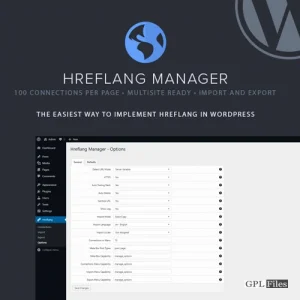
Hreflang Manager WordPress Plugin 1.33
Original price was: $14.99.$3.99Current price is: $3.99. -
Sale

Barn2Media WooCommerce Private Store 1.8.1
Original price was: $14.99.$3.99Current price is: $3.99. -
Sale

Toolset Views 3.6.21
Original price was: $14.99.$3.99Current price is: $3.99.